TAG WHITE ( 10 PCS )
(AJAX)
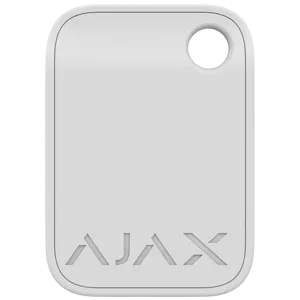
Tag is a key fob designed for contactless security management. No passcode, user account, or access to an Ajax app is required. Simply hold Tag up to the keypad’s reader to change the security mode.
Ajax Tag key fob for the security system controlling
The Ajax Tag key fob is designed for control and quick access to the security system. With one key, the user can control the alarm both at home and in the office.
The principle of operation of the key fob for Ajax Tag signaling. Connecting Ajax Tag to the security system
The principle of operation of the device is the possibility of arming and disarming the alarm, as well as providing contactless identification of the user of the security system.To control the security system using a secure Ajax Tag key fob, it is not necessary to install the Ajax application, create an account and know the password. It is enough to bring the key fob to the KeyPad Plus keyboard and the security system will be armed or disarmed. In order to activate the Tag key fob, the user needs to open the Ajax application, run the setup master, and keep the key fob near the keyboard. After completing these steps, the user will add the Ajax Tag to the devices of the alarm system.The Ajax Tag key fob uses DESFire® technology for contactless communication, which allows identifying the user by a card or key fob. DESFire® is based on the international ISO 14443 standard and combines comprehensive 128-bit data encryption with device anti-tampering. DESFire® is used in European transportation systems and NASA access systems.The Ajax Tag alarm control device operates in the temperature range from —10°C to +40°C. The permissible humidity level is up to 75%. The service life is up to ten years.In the case of using an Ajax application, the user can set access rights and a name for each key fob. Using this principle of operation, the administrator will know who and when changed the state of the security system, since all actions are recorded in the event log.In the case of using an Ajax application, the user can set access rights and a name for each key fob. Using this principle of operation, the administrator will know who and when changed the state of the security system, since all actions are recorded in the event log.The security administrator can restrict or revoke Tag access rights in real time.
Ajax Tag compatibility with other devices
One Tag can be connected to up to 13 security system control panels. Ajax Tag only works with KeyPad Plus keyboards.The key fob is not compatible with third-party security panels, Ajax Hub alarm central, and ocBridge Plus and uartBridge integration modules.
Compatibility:
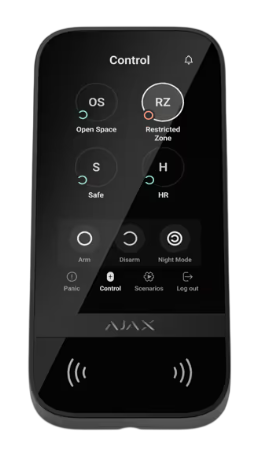
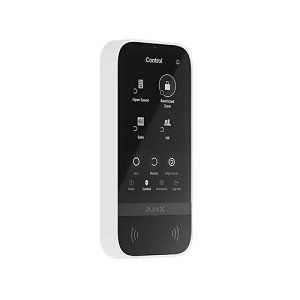
Designed for use with KeyPad Plus Jeweller, Superior KeyPad Plus Jeweller, KeyPad TouchScreen Jeweller, and Superior KeyPad TouchScreen Fibra.
Authentication & Security:
Utilizes DESFire® communication technology.
Operates on the ISO 14443-A (13.56 MHz) standard.
Secured by Triple DES and AES hardware encryption with a 128-bit key.
Includes device authentication and protection against signal interception.
Physical & Environmental Data:
Dimensions are 45 × 32 × 6 mm.
Weight is 7 g.
Operating temperature range is –10 °C to +40 °C.
Operating humidity is up to 75%.
Access Management: You can assign specific names and access permissions for each Tag within the Ajax apps.
Security Control: Allows users to manage security modes directly without needing a password, account, or app access.
Hub Integration: A single Tag can be paired with up to 13 Ajax hubs simultaneously.
Smartphone Connectivity: Users can configure Tag settings and review detailed event logs through the Ajax app.