BUTTON ( WHITE )
(AJAX)
Button Jeweller is a multi-purpose device supporting three operating modes. In Panic mode, the button instantly notifies monitoring companies and users of emergencies, including intrusions, fires, gas and auxiliary alarms, and more. Detailed notifications enable a fast and appropriate response to threats. In Control mode, the button launches automation scenarios with a single or double press. Additionally, Button Jeweller silences fire alarms in Mute fire alarm mode.
The Ajax alarm button — a multipurpose device for time optimization and 24/7 security control
Protection day and night will be provided by installing a security system, and an important addition can be the Button Jeweller. The alarm button is part of the security system and it is the fastest way to call for help. The security button is used in apartments, private houses, offices, restaurants, banks, shops, and other objects.
The main advantage of the Ajax wireless alarm button is the wide range of applications. The user gets an alarm button and an intelligent device for living space automation and daily activities control.
How the Button Jeweller works in a wireless alarm button mode
Button Jeweller works as follows: in case of an alarm, the appropriate service and connected users receive the signal.
The device supports four types of alarms and the smart home control function in the alarm smart button mode. Below, we will describe each option of using the multipurpose smart button in more detail.
How the Button Jeweller works in wireless control button mode
Another essential function of the button is to control the room's elements. The same alarm button allows you to easily manage your home, turning routine actions into quick solutions. Automation scenarios are launched with one or two clicks. The wireless control button will allow the user to turn off the light with one click, turn on appliances, lower and raise the shutters, and open the gates. Here are some examples of using scripts for the wireless control Button Jeweller:
Script management can be made even more convenient with the Holder bracket, which allows you to pin the alarm button, which will be easily accessible in an emergency. At the same time, the wireless device will remain mobile — the button can be quickly removed from the holder and used as a keychain.
The Button Jeweller is a device that simplifies life by replacing routine actions with automated ones.
Why the Ajax wireless alarm button is better than the others
Guaranteed alarm delivery
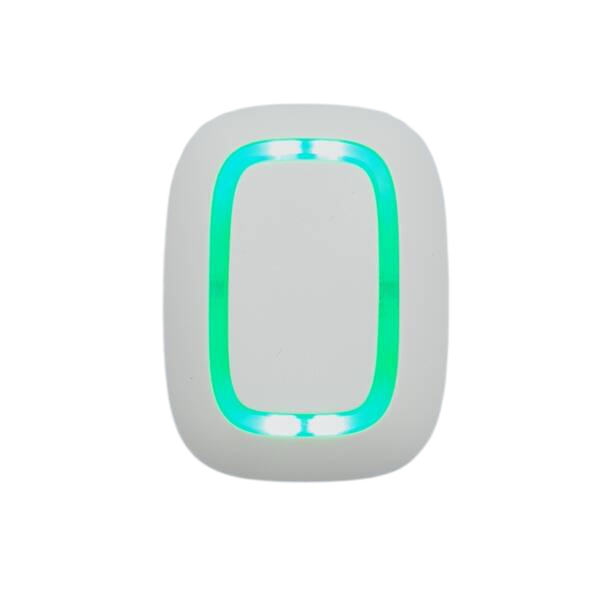
Button transmits a signal to the Hub security system via the Jeweller — two-way radio protocol at a distance of up to 1300 m. And informs the user of the command's successful delivery with a green LED on the case. Jeweller protects the transmitted data with encryption and eliminates the forgery of the device. In the event of interference or jamming, the Ajax system switches to free radio frequency, alerting users and works with the first press. It does not require awakening.
Convenience in installation and use
Thanks to the case, which is protected from dust and splashes, the button can be established in any convenient place, even close to a floor. The button's design allows the implementation of the device in any interior. The colour options of the device are black and white.
Accidental activation of the alarm is excluded
Thanks to the well-thought-out design, only a deliberate button push is possible. Button Jeweller will not work, even if you sit on it or lie down. For additional protection against false alarms, the button can be set to double or long-press. You can set this protection in the Ajax application in the button settings (Devices → Button → Settings). The device is wear-resistant and works from one CR2032 battery for up to five years (the battery is pre-installed).
Connect in a minute
The button connects to the Hub security control panel when scanning the QR code via the Ajax application. The device is fixed on a surface through the fastening of the holder without disassembling the case. After a few minutes, the button is ready to go.
Step-by-step instructions for using the wireless security button
Each emergency button press will be displayed in the Ajax application as an event the user assigned to the device performs. The user receives a notification from the person whom the signal came from.
FAQ
What is a wireless alarm button, and what is it used for?
The alarm button is an element of the security alarm system intended for calling for help in emergencies. In addition to burglar alarm control, the Button Jeweller acts as a wireless smart home control button.
Where can the emergency button be placed?
The alarm button is suitable for private properties or enterprises, large organisations, business centres, shops, boutiques, educational centres and many other places. With the Holder mount, the device can be fixed on surfaces or carried on lace or keychain.
Who needs a wireless alarm button?
Installing the emergency button at any property where illegal actions or unforeseen situations can occur is necessary.
What is the principle of operation of the wireless alarm button?
Right after pressing the button, the alarm is transmitted to the Ajax Hub — an intelligent control panel, a vital element of the Ajax security system. It notifies you of the delivery of the alert. The required service and all system users receive the command. Help is immediately sent to the place of call. This is now the fastest way to call for help.
What is the range of the wireless alarm button?
The wireless security button operates at a distance of up to 1300 m to the Hub. In signal interference — the Ajax system switches to free radio frequency, notifying the user and the security company about the situation.